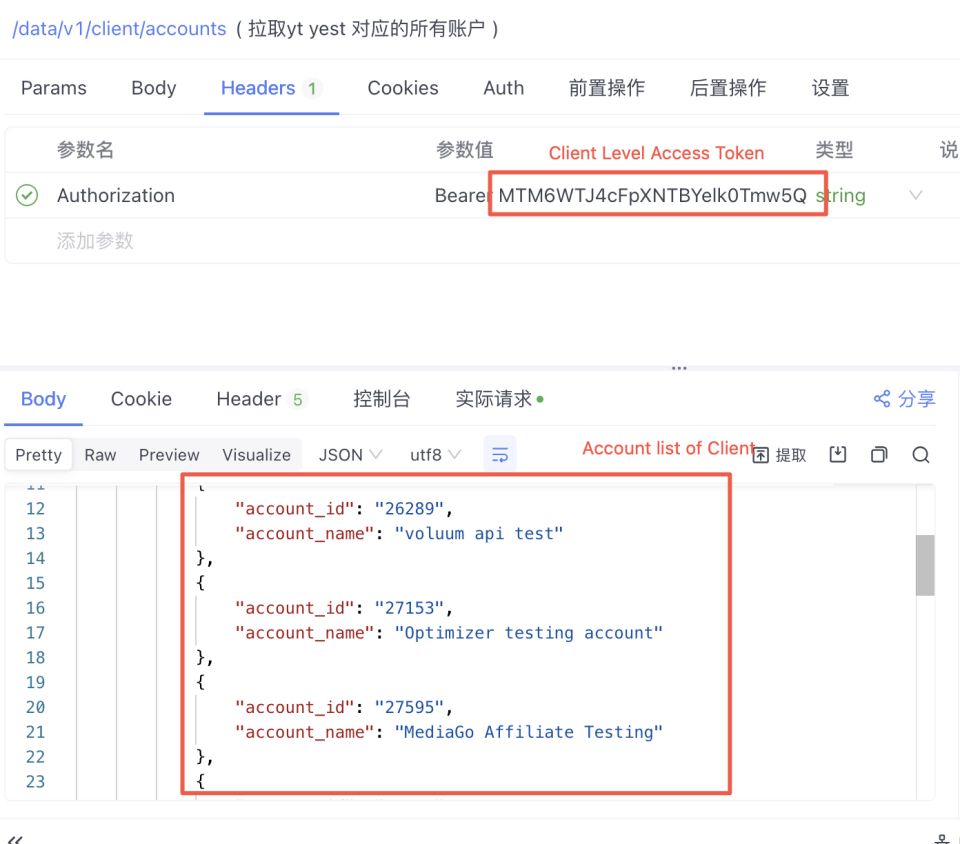
Step 1: Obtain the client-level Base64-encoded API Token from the AM Contact your dedicated AM directly to obtain it.Note: If your system only supports non-Base64-encoded API Tokens, please inform the AM in advance, and they will provide the required API Token accordingly.Step 2: Obtain the client-level Access Token using the client-level Base64 API Token Request Interface:https://api.mediago.io/data/v1/client/authentication Request Example: Step 3: Retrieve the account IDs under the client using the client-level Access Token obtained in [Get the List of Accounts Under the Client] Request Interface:https://api.mediago.io/data/v1/client/accountsRequest Example: Step 4: Use the client-level Access Token from Step 2 and the account ID from Step 3 to operate on the corresponding account.Request Interface:Refer to the operations you need to perform in the API documentation. For example, if you want to create a new Campaign, the request interface is as follows:https://api.mediago.io/manage/v1/campaign/create For example, if you want to pull the daily-level report at the Campaign dimension, the request interface is as follows:: https://api.mediago.io/data/v1/report/day/listWhen using the Client-Level API for management, the account ID must be included in the request header.
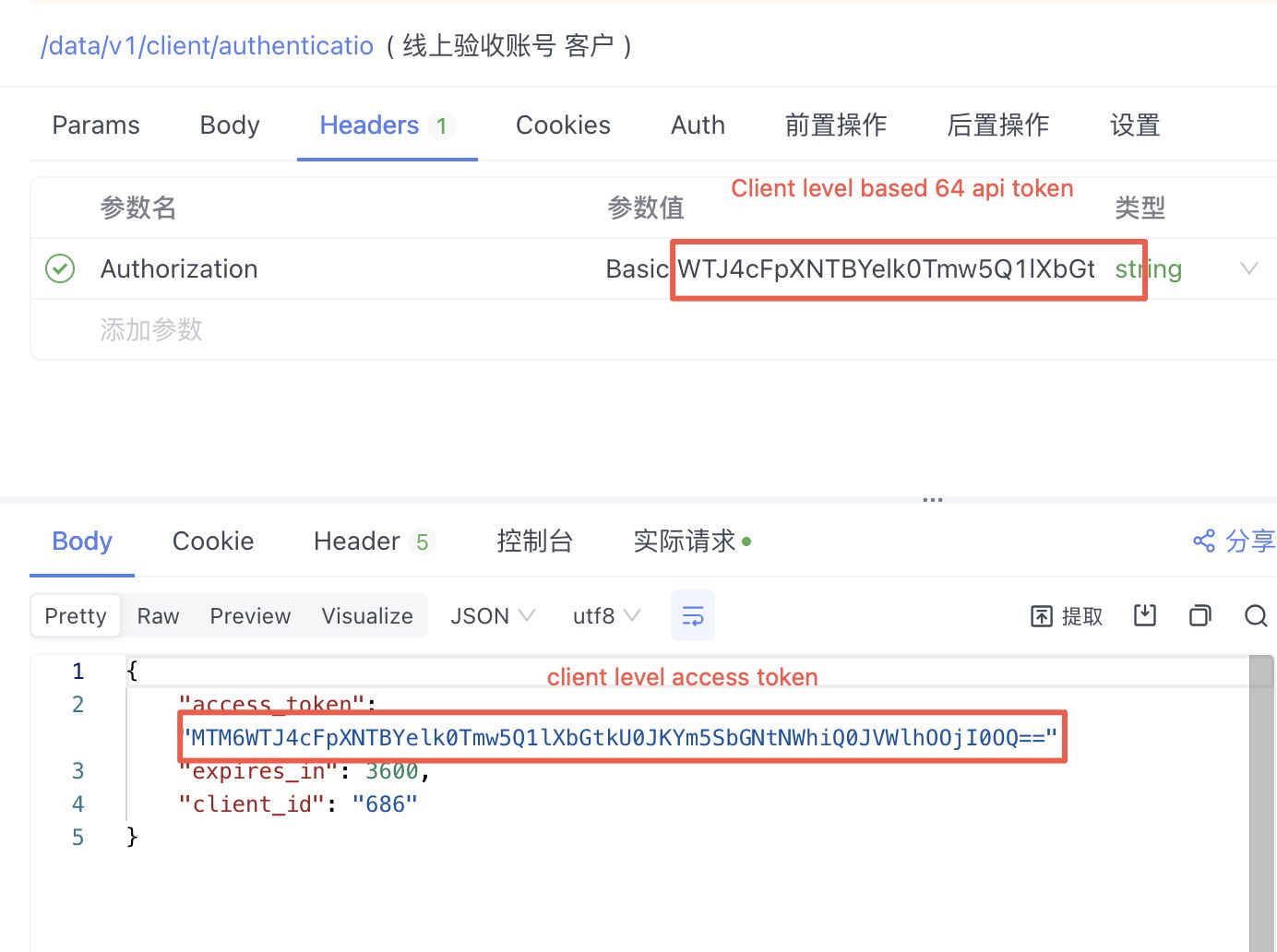
Request
Header Params
Request Code Samples
Shell
JavaScript
Java
Swift
Go
PHP
Python
HTTP
C
C#
Objective-C
Ruby
OCaml
Dart
R
Request Request Example
Shell
JavaScript
Java
Swift
curl--location--request POST 'https://api.mediago.io/data/v1/client/authentication' \
--header'Authorization: Basic Y2xpZW50XzE0Nl_lup_lvIPl...'